Manage User Devices
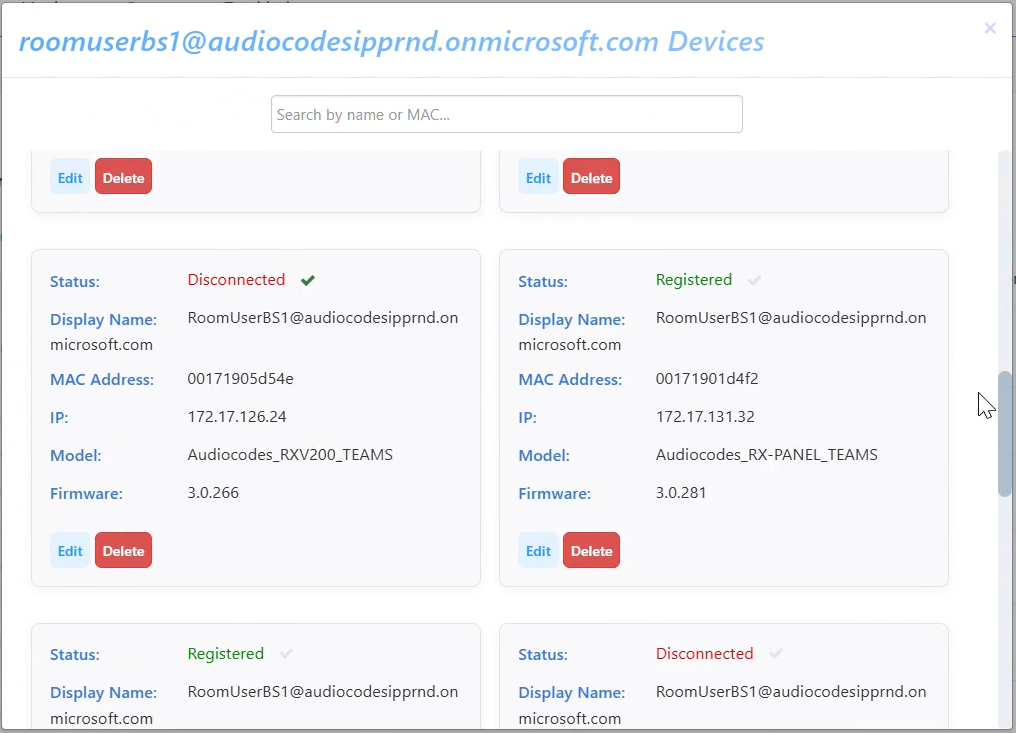
You can view detailed information of the devices assigned to a user, edit them, or delete them.
|
➢
|
To view and handle a user's devices: |
|
1.
|
In the Manage Users page (Setup > Users & Devices > Manage Users), locate the row of the user. |
|
2.
|
Click the Devices link under the Devices column in the row of the user; the details of each device are displayed. |
|
3.
|
To edit a device, click the Edit button below the device details. You can edit the device parameters as described in Add a Device to a User. |
|
4.
|
To delete a device, click the Delete button, then confirm the deletion. |
A device must be disconnected to be permanently deleted. If it is registered, it will return with the next keep-alive.